Unreal Engine Example
This is an example demonstrating how to make Meta Transactions inside Unreal Engine using this plugin.
Prepare Meta Transaction Data for the User to Sign
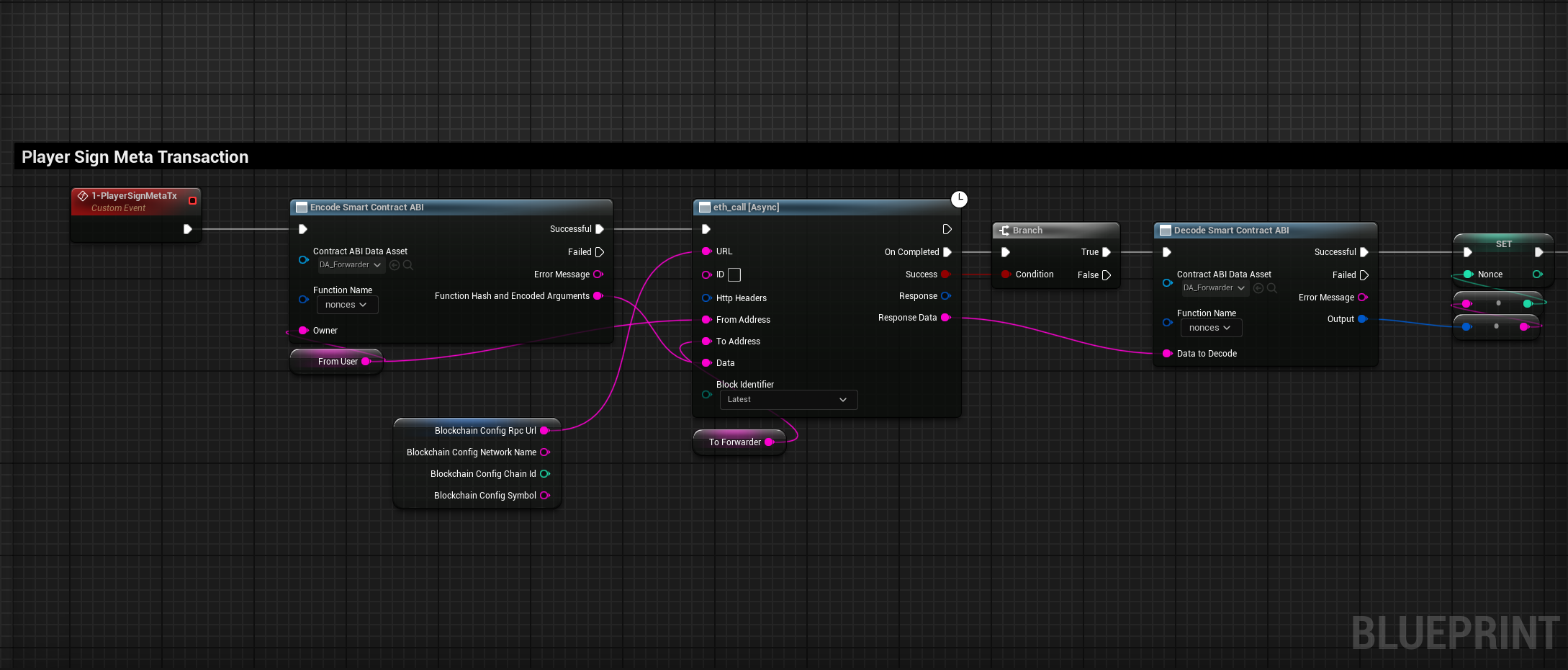
Nonce
First of all we want to get the user's nonce from the CounterForwarder contract that we deployed earlier.
Data
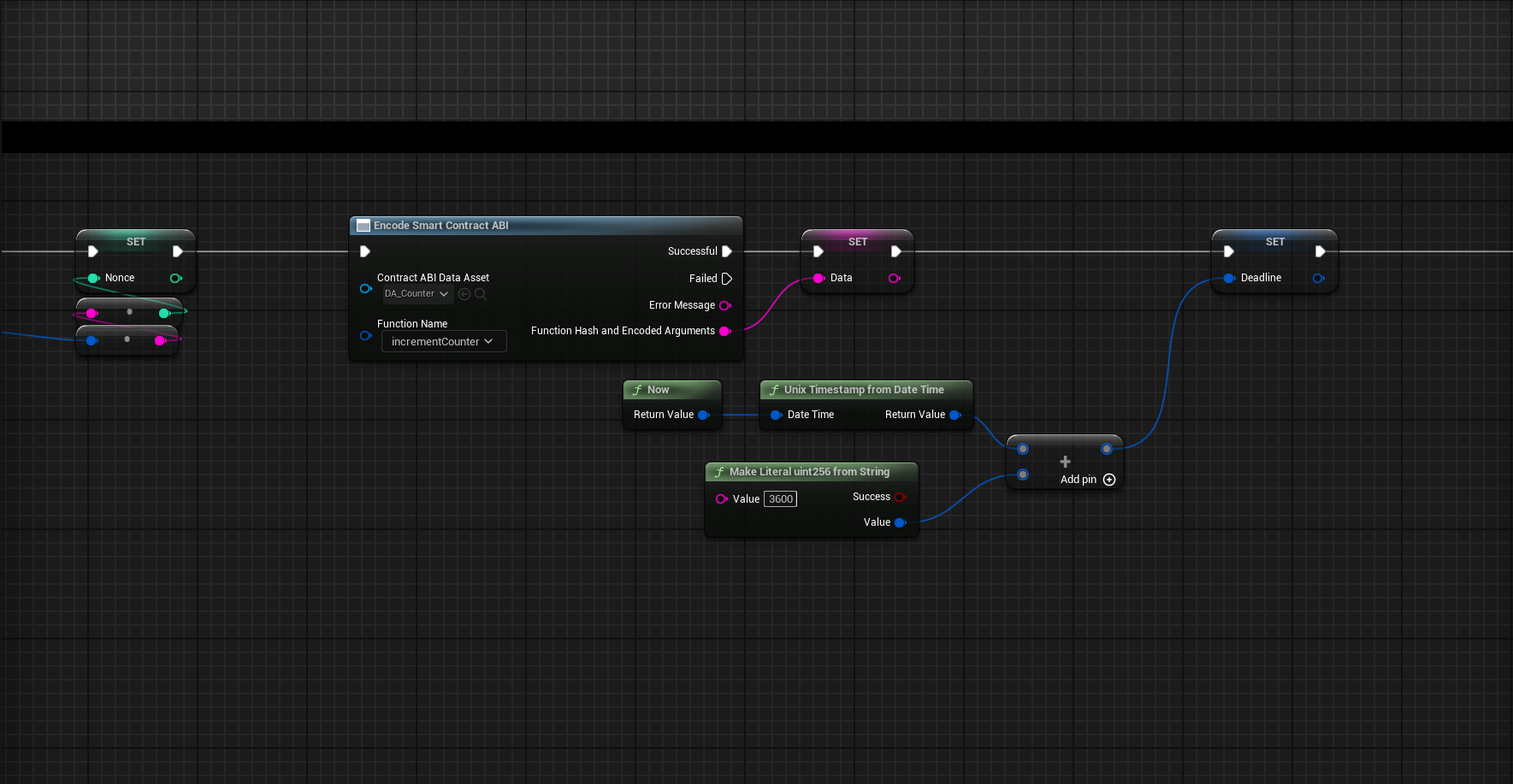
Save the encoded data of the incrementCounter function that we are going to call using a Meta Transaction.
Deadline
In our case we will set the deadline to the current time plus 1 day from when the user signs the Meta Transaction in Unix Timestamp.
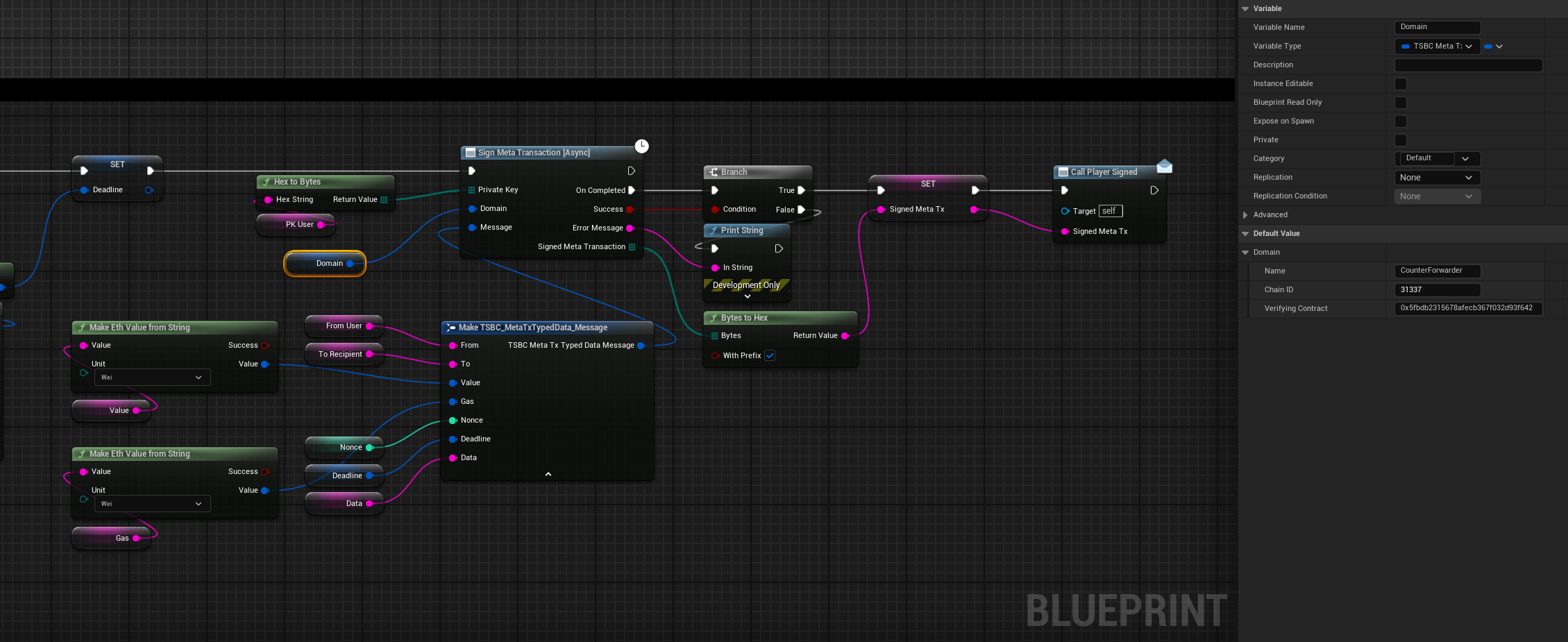
Private Key
The user's private key that will be used to sign the Meta Transaction.
Domain
The domain struct should contain:
- Name: The name of the Forwarder that will be processing the transaction, in our case it is
CounterForwarder. - Chain ID: The chain id of the Blockchain that the
CounterForwardercontract is deployed on. - Verifying contract: This is the
CounterForwardercontract address.
Message
The message struct should contain:
- From : The address of the user that will be signing this message.
- To : The address of the deployed
Countercontract. - Value : In our case it is
0since theincrementCounterfunction is non-payable. - Gas : The gas limit that will be forwarded, we can set it to
300000. - Nonce : The user nonce that we received earlier.
- Deadline : A Unix Timestamp after which the request is not executable anymore, which we calculated earlier.
- Data : The encoded data of the
incrementCounterfunction.
Relayer Execution
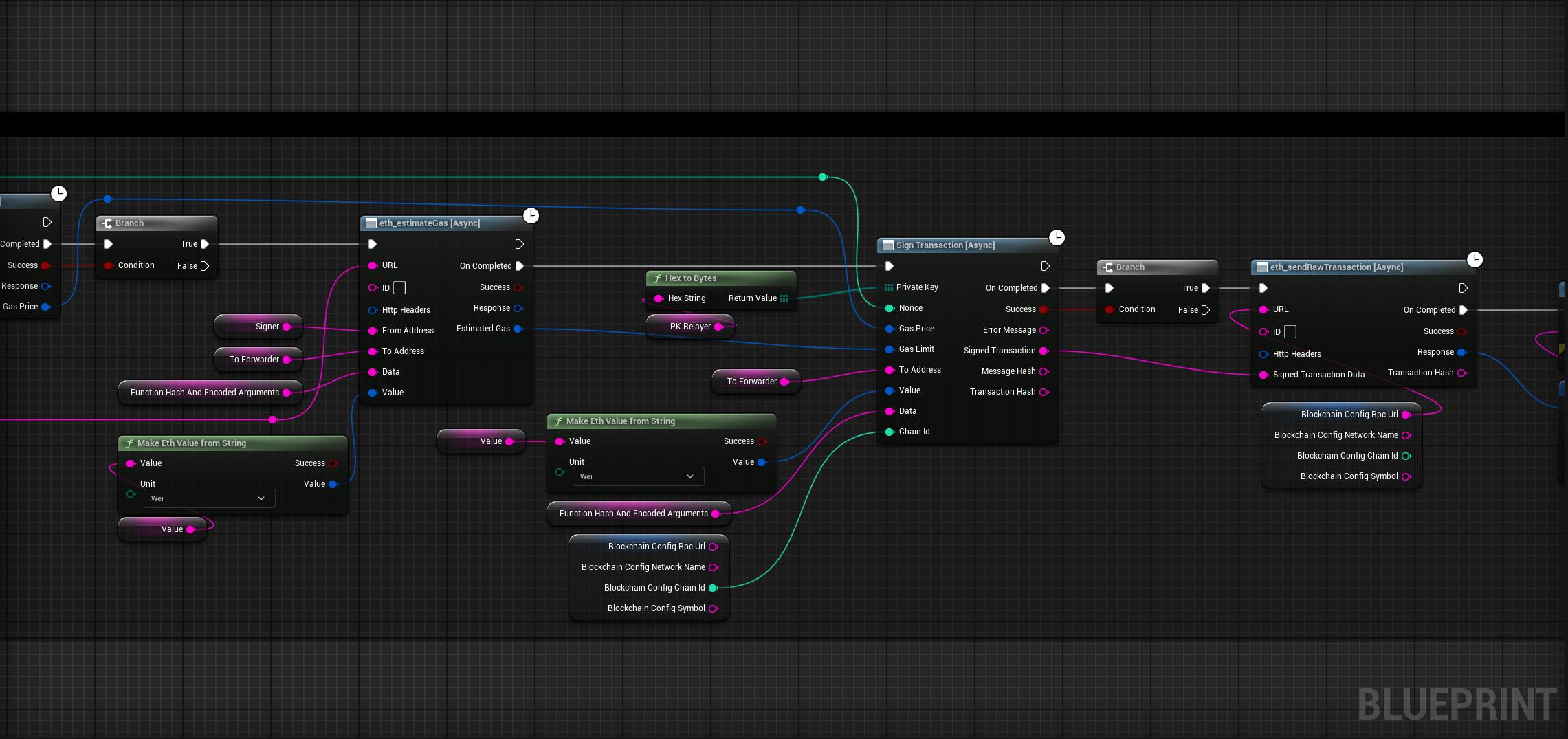
In our case we want a dedicated server to execute the Meta Transaction on behalf of a user.
Prepare Relayer Signing
- The server needs to receive the original Data that was used to create the Signed Meta Transaction.
- First we will encode the data by selecting the
executefunction from the Forwarder contract ABI. - Then, we need to get the Relayer's nonce and the current gas price to execute the transaction.
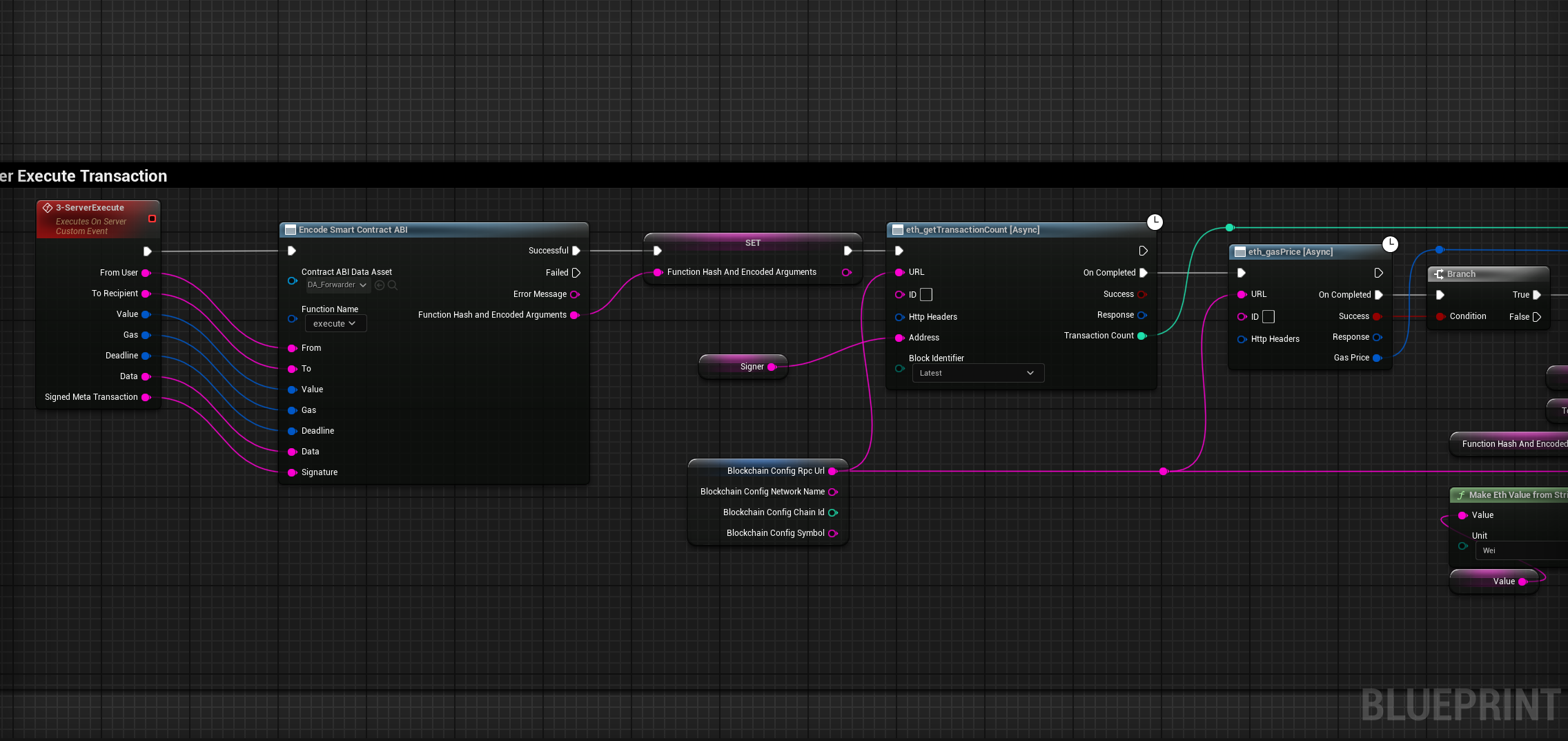
Relayer Signing and Sending
- After that we can call
estimate gasfunction, so we can provide a gas limit to execute this transaction. - Then we can sign the transaction with the relayer's private key and provide all the needed arguments for the
sign transactionfunction. - Lastly we can send this transaction to the Blockchain and the meta transaction will be executed.